What a 10-inch tablet gives you in actual working area
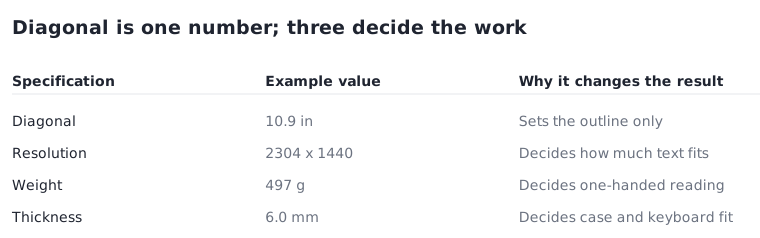
The diagonal sets the outline. Resolution, weight and thickness decide how much work the device can take on, and all three are published.
Updated:
A 10-inch tablet is a diagonal measurement
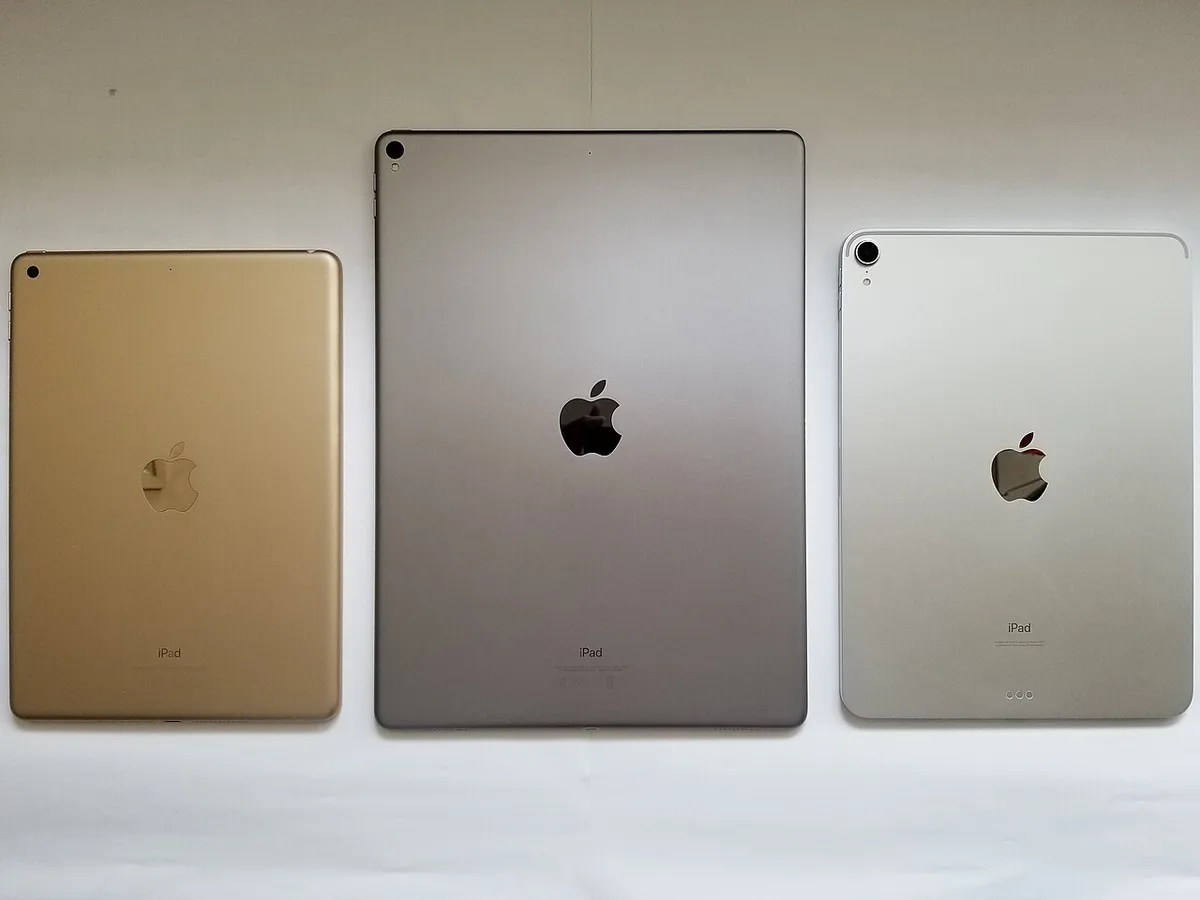
As with laptops, the size in a tablet name is the diagonal of the display, not the width of the device. A 10 inch tablet is roughly 25.4 cm corner to corner on the panel, and the body around it adds bezel on every side. Nothing about the name tells you the width, the height or how the device sits in one hand.
The practical consequence is that two tablets sold in the same size class can present noticeably different amounts of readable content, because the panel is only one of three variables. The other two, resolution and aspect ratio, are published alongside it.
The published dimensions for the class
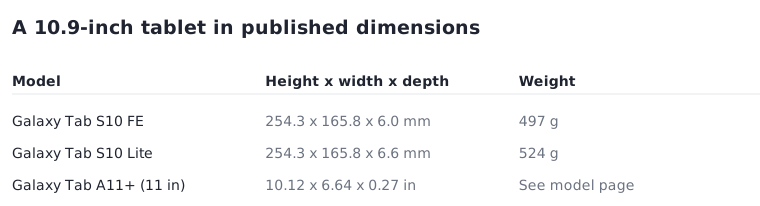
Samsung publishes dimensions for each model. The Galaxy Tab S10 FE, with a 10.9 inch display, is listed at 254.3 by 165.8 by 6.0 mm and 497 g. The Galaxy Tab S10 Lite shares the same 254.3 by 165.8 mm outline at 6.6 mm thick and 524 g. The Galaxy Tab A11+, at 11.0 inch, is published in inches as 10.12 by 6.64 by 0.27 in.
Two things follow from those figures. First, a 10.9 inch tablet is about 25 cm on its long edge, which is close to the width of a 13 inch laptop lid and therefore fits most bags that already carry one. Second, two models with identical outlines can differ in thickness and weight, which is where cases and keyboard covers stop being interchangeable.
| Model and display | Published dimensions | Weight and resolution |
|---|---|---|
| Galaxy Tab S10 FE, 10.9 in | 254.3 x 165.8 x 6.0 mm | 497 g; 2304 x 1440 |
| Galaxy Tab S10 Lite, 10.9 in | 254.3 x 165.8 x 6.6 mm | 524 g; 2112 x 1320 |
| Galaxy Tab A11+, 11.0 in | 10.12 x 6.64 x 0.27 in | See model page; 1920 x 1200 |
Resolution decides how much fits, not how large it looks
The two 10.9 inch models above publish different resolutions: 2304 by 1440 and 2112 by 1320. Both occupy the same physical outline, so the higher figure does not make the device bigger. What it changes is how much content the system can place inside the same area before text becomes uncomfortable.
This is why a resolution line is worth reading next to the diagonal rather than on its own. A document, a browser pane and a video call in the same space is a question about pixels and scaling, not about inches. If side-by-side applications are part of the plan, the resolution is the specification that governs whether that arrangement is usable.
Aspect ratio sits underneath both numbers and is worth deriving. The Tab S10 FE resolution of 2304 by 1440 is a 16:10 shape, which is taller than the 16:9 used by most video and wider than the 4:3 of older tablets. For reading and documents the extra height is useful; for full-screen video it means bars above and below. The ratio is not usually stated in words, but dividing the two published figures gives it in a moment.
Weight is the specification you feel first
At this size, weight separates a device you hold from a device you prop up. The two models above are published at 497 g and 524 g — a 27 g difference, which sounds trivial and is, for a device on a table. Held in one hand for a long reading session, small differences in this range are noticeable, and the published figure is the one to compare.
Thickness interacts with it. At 6.0 mm against 6.6 mm the difference is slight, but it is enough to matter for a case designed around one of them. Where a tablet will spend most of its life in a cover, the combined weight is the number that describes daily use, and the cover weight is published separately by the accessory.
Adding a keyboard changes the comparison
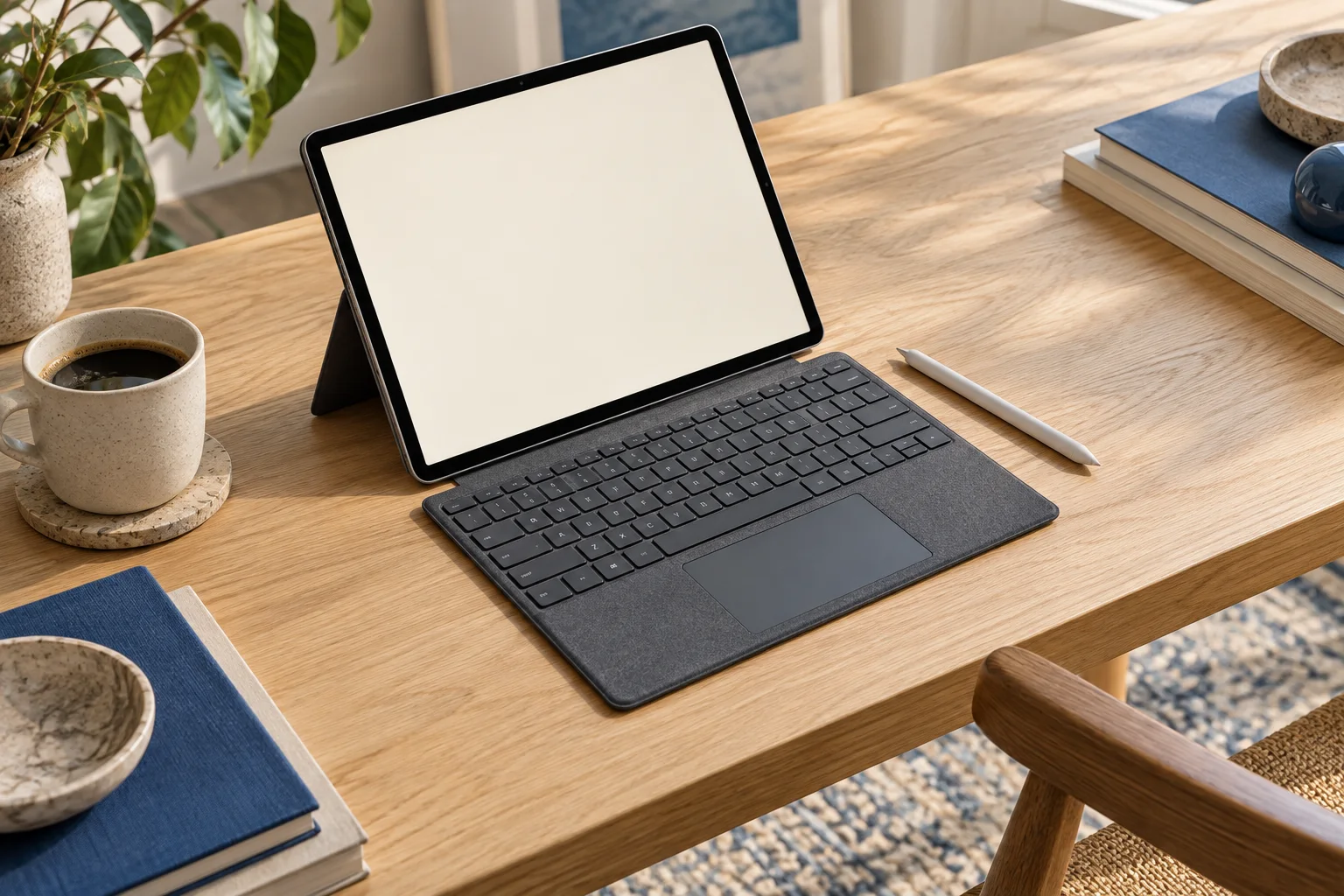
A keyboard cover converts a tablet into something closer to a small laptop, and it also imports laptop questions. The combination gains weight and thickness, needs a stable surface, and offers a typing area limited by the tablet outline. A 254 mm long edge is narrower than the 305 mm width of a 13 inch laptop, so the keys are necessarily closer together than a full-size layout.
Accessory compatibility is tied to the exact model rather than the size class. The two 10.9 inch models share an outline but differ in thickness, and a connector position that suits one does not guarantee a fit on the other. Check the accessory against the model number, not against the screen size.
Before you order
All of these are published on the manufacturer model page and resolve before the device arrives.
- Read the dimensions in millimetres, not the diagonal, when planning bag or case fit.
- Compare the resolution line between candidates in the same size class.
- Note the weight, and add the cover weight if the device will live in one.
- Match any keyboard cover to the exact model number, not to the screen size.
- If side-by-side applications matter, treat resolution rather than diagonal as the governing number.