A laptop buying checklist that starts with your software
Build a practical US laptop shortlist by checking application requirements, memory, peripherals and the complete cost before choosing a model.
Updated:
Choose the job before choosing the machine
For a US buyer, the most useful first step is to list the software and accessories that the new laptop must support, then eliminate configurations that fail those requirements. Decide on a spending ceiling only after including the extras you will actually need. A cheaper computer can become the more expensive choice when it needs a dock, replacement accessories or an immediate storage upgrade.
This guide offers a purchasing method, not a ranking based on hands-on testing. Start a three-column worksheet: essential tasks, occasional tasks and optional conveniences. Put a specific application and version beside every essential task. Writing documents in a browser and editing large layered photographs should not inherit the same hardware checklist simply because both happen at a desk.
Read minimum requirements as an eligibility threshold
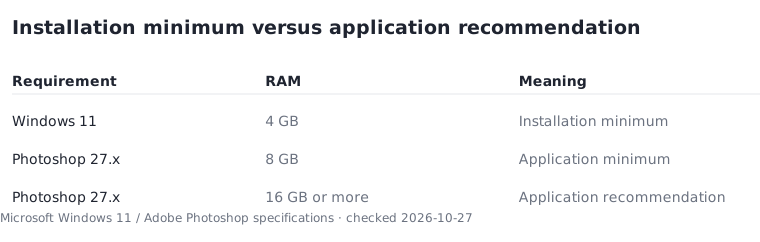
Microsoft lists 4 GB of RAM and a 64 GB storage device among the installation minimums for Windows 11. A compatible processor, TPM 2.0 and other requirements also apply. These figures describe eligibility to install the operating system; they do not promise comfortable performance in your applications. The Windows minimum therefore makes a poor standalone shopping target.
Compare that floor with your most demanding application. Adobe lists 8 GB of RAM as the minimum and 16 GB or more as the recommendation for Photoshop 27.x on Windows Intel/AMD systems. Its processor, graphics and operating-system requirements still apply. For a Photoshop shortlist, use the recommended application specification as the starting point, then consider the size of your own projects. Extra memory is not a guarantee that every other bottleneck disappears.
Microsoft: Windows 11 specifications ↗ Adobe: Photoshop desktop technical requirements ↗
Separate memory capacity from storage capacity
RAM and storage answer different questions. Memory supports work in progress; storage holds installed applications and saved files. A listing with a large SSD can still offer too little memory for your intended workload. Record each capacity in a separate worksheet column so an attractive storage number cannot hide a memory compromise.
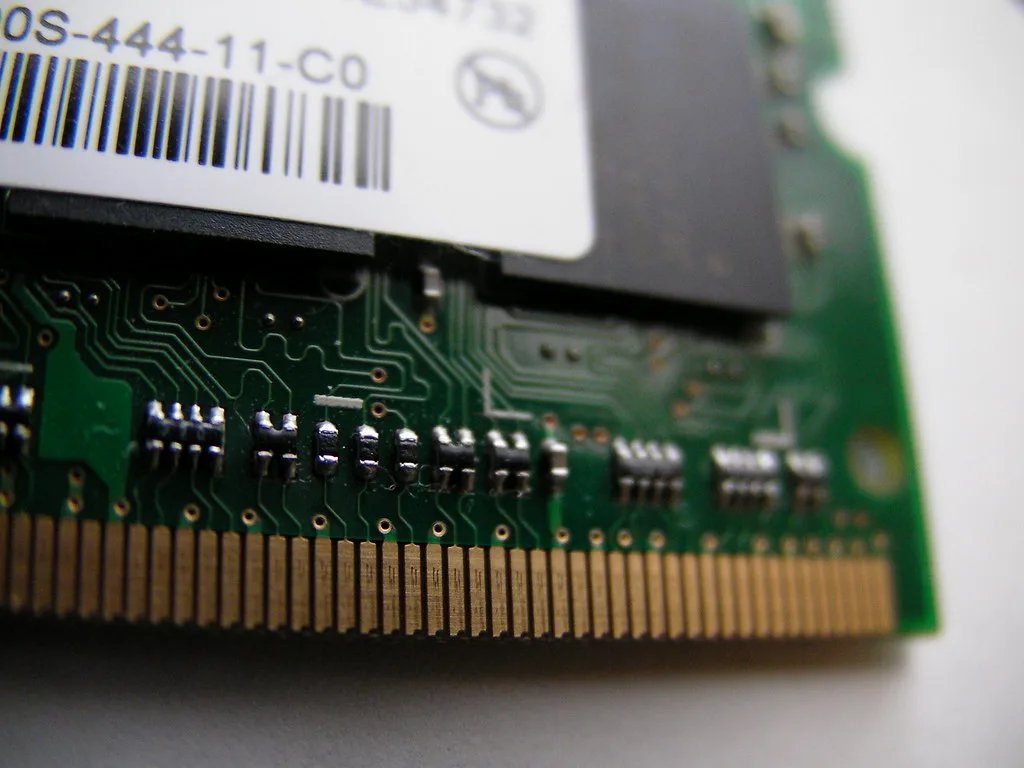
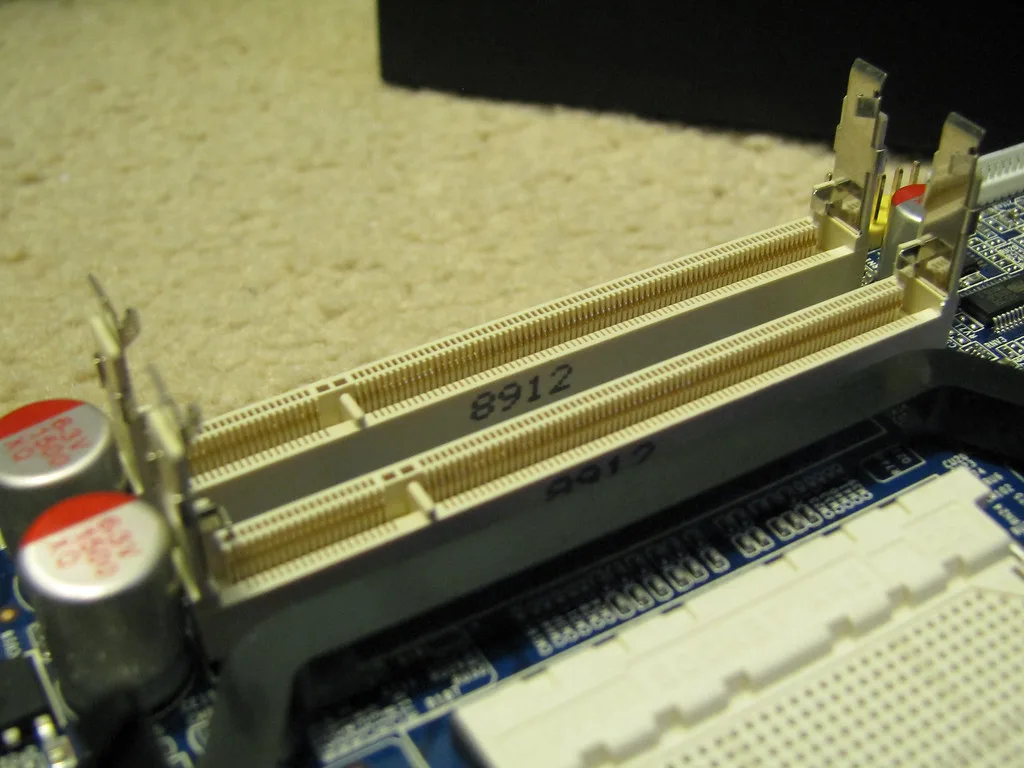
Before paying for future flexibility, establish whether that exact configuration permits memory replacement or expansion. A photograph of a removable laptop memory module illustrates the component, but does not prove that the computer you are buying has a replaceable module. Use the model-specific service documentation. If memory cannot be expanded, choose a suitable capacity at purchase; if expansion is supported, include the module and installation cost in your comparison.
Treat your dock and printer as part of the decision
An Arm-based Windows laptop deserves a compatibility audit when you rely on specialist peripherals or software. Microsoft explains that hardware needs drivers supplied with Windows or suitable Arm64 drivers from its manufacturer. Application emulation does not make an incompatible device driver work. Some games also depend on anti-cheat drivers that may not support Arm.
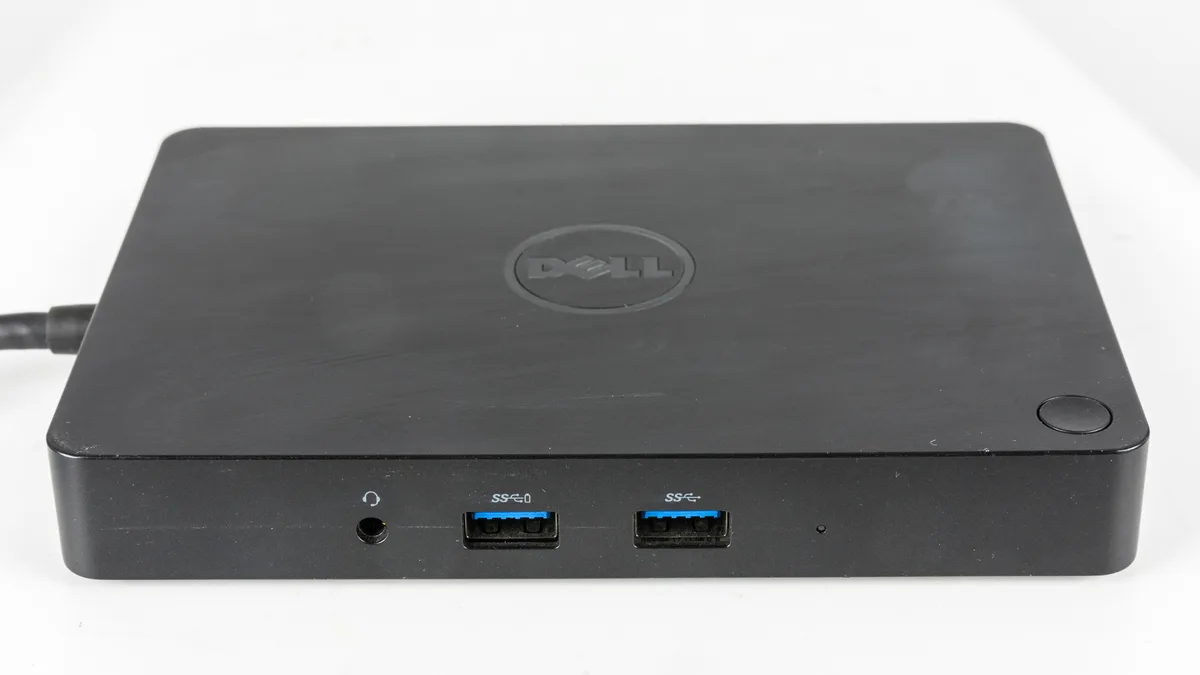
The practical exception is important: a laptop that suits ordinary browser work may still fail your essential workflow because one required device lacks a suitable driver. Put your printer, audio interface, security software and must-play games on the same checklist as the processor. For a dock, also identify which connectors and displays you actually need; the appearance of a connector alone is insufficient evidence of every supported feature.
Microsoft: Windows Arm-based PCs FAQ ↗
Compare the amount you will pay, with assumptions visible
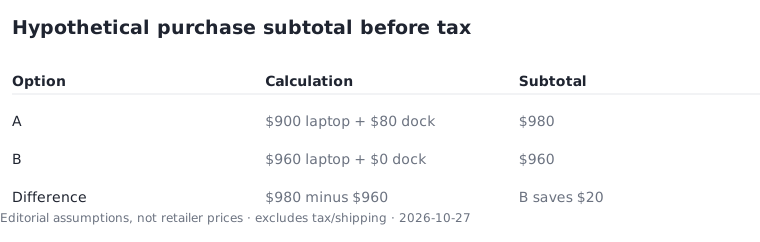
Use a complete-cost calculation instead of comparing the headline laptop prices. Here is a hypothetical example, not a current retailer offer: laptop A costs $900 and needs an $80 dock, giving a $980 subtotal before tax. Laptop B costs $960 and needs no extra dock, giving a $960 subtotal. Under those stated assumptions, B is $20 cheaper before tax even though its advertised laptop price is $60 higher.
Actual checkout totals may change with tax, shipping and the seller's terms. Do not silently treat a pre-tax illustration as the final amount due. Add only accessories you need, and compare the same assumptions on both sides. Save the exact configuration, included charger, seller, return conditions and final checkout total before placing the order. That record makes a later discrepancy much easier to identify.
Finish with a decision you can explain
Keep two finalists and write one sentence explaining why each meets the essential workload. Reject any candidate with an unresolved must-have compatibility issue, even if its specifications look stronger elsewhere. Then choose between the remaining options using the features you will notice daily: keyboard layout, carry weight, available ports and the complete purchase amount.
The result should be a defensible shortlist rather than the computer with the longest specification sheet. This method deliberately leaves current prices and model rankings open until they can be verified for the exact seller and configuration. Revisit the official requirements below when your application version changes.